
SHADOW TECH V2.1.0 Free Download 2025 SHADOW TECH V2.1.0 Free Download 2025 SHADOW TECH V2.1.0 Free Download 2025 SHADOW TECH V2.1.0 Free Download 2025
The ADB section in SHADOW TECH V 2.1.0 gives you deep control over any Android device connected to your PC. You can get full device info with one click. Need to disable or enable FRP reset? It is right there. The more update algorithm inside this tool can bypass FRP through ADB on most Android phones without needing any paid service. For Google Pixel users, there is a dedicated network unlock option that works on recent firmware. You can also disable OTA updates so the phone does not auto-update and break your exploit. ADB factory reset is available too when you need a clean slate.
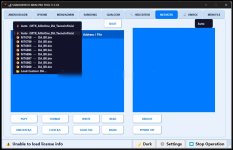
SHADOW TECH TOOL V2.1.0 Officially Download
Download: #SHADOW_TECH_TOOL_V2_1_0_Officially_Download

 www.gsmsanjoy.com

 gsmsanjoy.blogspot.com
The ADB section in SHADOW TECH V 2.1.0 gives you deep control over any Android device connected to your PC. You can get full device info with one click. Need to disable or enable FRP reset? It is right there. The more update algorithm inside this tool can bypass FRP through ADB on most Android phones without needing any paid service. For Google Pixel users, there is a dedicated network unlock option that works on recent firmware. You can also disable OTA updates so the phone does not auto-update and break your exploit. ADB factory reset is available too when you need a clean slate.
| Feature | Status |
|---|---|
| Get Device Info | ✓ Working |
| Disable FRP Reset | ✓ Working |
| Enable FRP Reset | ✓ Working |
| Unlock Network (Google Pixel) | ✓ Working |
| ADB Bypass FRP | ✓ Working |
| Disable OTA Updates | ✓ Working |
| ADB Factory Reset | ✓ Working |
ADB Reboot Options
Sometimes you just need to reboot the phone into a specific mode and nothing else. This more update version of SHADOW TECH gives you four clean reboot options. Bootloader, normal reboot, recovery mode, and download mode — all accessible from the ADB reboot panel. No need to use hardware key combos. The more update reboot engine works even on devices with restricted USB debugging.| Reboot Option | Use Case |
|---|---|
| Reboot Bootloader | For fastboot operations and bootloader unlock |
| Reboot Device | Normal restart after any operation |
| Reboot Recovery | Access custom recovery or stock recovery |
| Reboot Download Mode | For Samsung Odin flash operations |
App Manager – Full Control Over Installed Apps
The app manager in SHADOW TECH V 2.1.0 is one of the most useful sections for daily work. You can load all installed apps from the connected device and see every single package name. From there you can uninstall bloatware, disable system apps that cause FRP locks, enable disabled apps, clear app data, and even read detailed app info. This more update app manager also lets you install APK files directly from your PC to the phone. The clear output button resets the log so you can start fresh. If you have ever spent 20 minutes manually removing FRP-related apps through ADB commands, this section alone will save you hours every week.| Action | Description |
|---|---|
| Load Installed Apps | Scan and list all apps on connected device |
| Install APK | Push and install APK from PC |
| Uninstall App | Remove any app including system apps |
| Disable App | Disable without removing |
| Enable App | Re-enable previously disabled apps |
| Clear App Data | Wipe app cache and data |
| Read App Info | Get package details and permissions |
| Clear Output | Reset the log panel |
Fastboot Section
For devices that support fastboot mode, SHADOW TECH V 2.1.0 offers factory reset, bootloader unlock, bootloader relock, FRP removal, and root access — all through fastboot. This more update fastboot module is compatible with Xiaomi, OnePlus, Google Pixel, and many other brands. The root option flashes the Super.img file directly through fastboot which means you do not need a separate rooting tool. Everything is integrated into this single more update interface. The relock bootloader option is also useful when you need to return a device to its original locked state for warranty purposes.iPhone iCloud Bypass – More Update iOS Support
This is one of the biggest selling points of SHADOW TECH V 2.1.0. The iPhone section supports full iCloud bypass with multiple methods. You get Zadig setup for proper driver installation, PPWN support for the latest exploit chain, and Ramdisk operations for deep-level bypass. The more update hello screen bypass works on iOS 15 through iOS 18 which covers almost every iPhone currently in circulation. For older devices running iOS 12 to 14, there is a separate bypass option that includes network support so the phone can actually make calls and use mobile data after the bypass. There is also a hello bypass with serial number option for specific situations. No other free tool offers this level of more update iPhoneSHADOW TECH TOOL V2.1.0 Officially Download
Download: #SHADOW_TECH_TOOL_V2_1_0_Officially_Download
Gsmsanjoy.com - Free Schematic Diagram, FRP Bypass, Unlock Tools
Download free schematic diagrams, FRP bypass APK, pattern lock unlocker, iCloud bypass tools and office tools at Gsmsanjoy.com
www.gsmsanjoy.com
UPDATE SHADOW TECH TOOL V2.1.0 Download - GsmSanjoy
UPDATE SHADOW TECH TOOL V2.1.0 Download
gsmsanjoy.blogspot.com
